Skip To Main Content
nriaasthi.com - Your property | Our Service
Open Navigation
User Guide and SOP Wiki

Learn the exact workflow for every nriaasthi role.

Use this guide to understand how owners, admins, property managers, tenants, vendors, and Legal/CA partners should use the portal for documents, approvals, rent, maintenance, inspections, plot monitoring, evidence handoff, and auditable notifications.

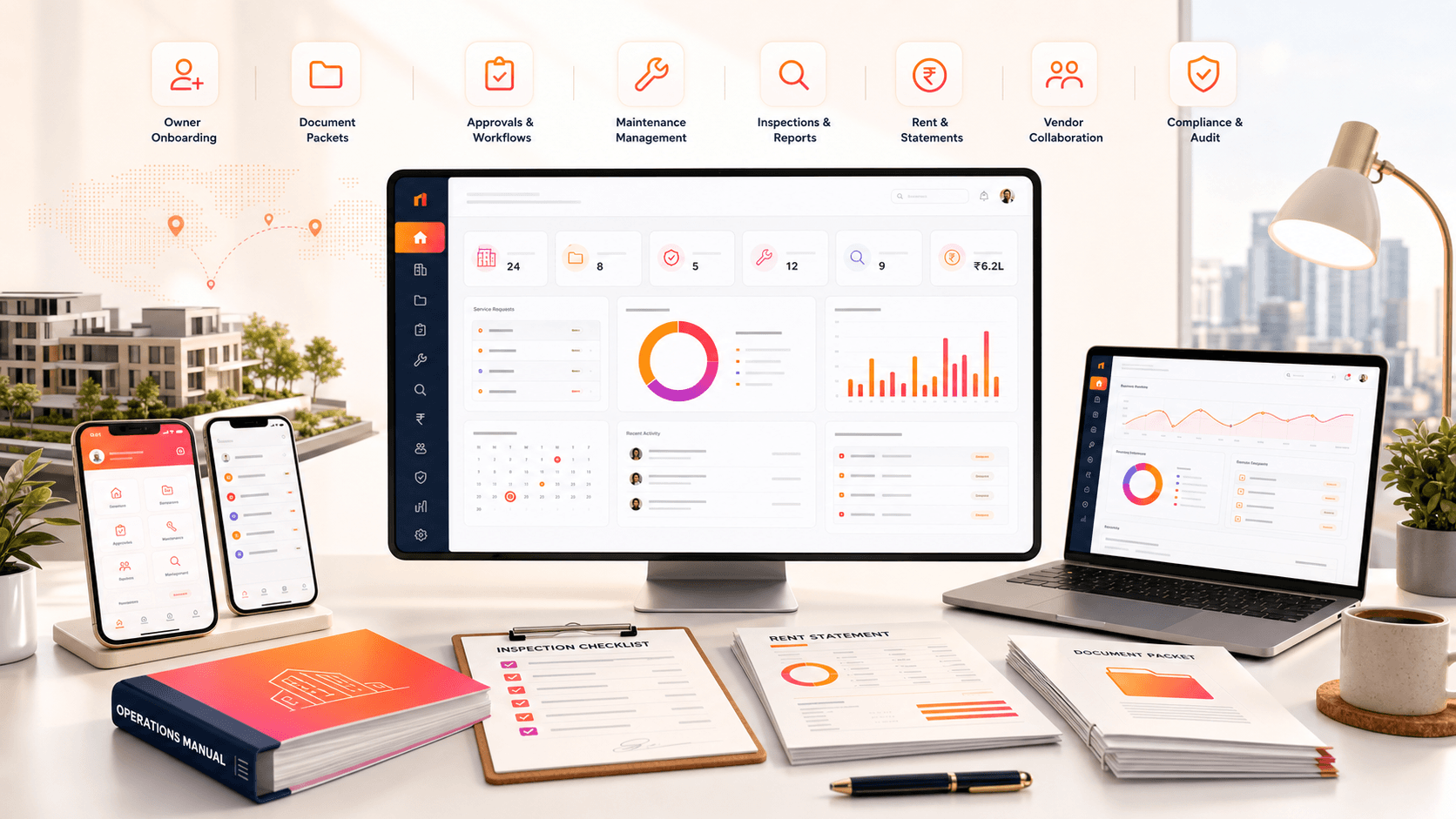
nriaasthi operations wiki cover showing dashboards, documents, rent statements, and mobile app screens
Role SOPs

Start with your role.

Each card shows the screen users should recognize first and the operating habits that keep work auditable.

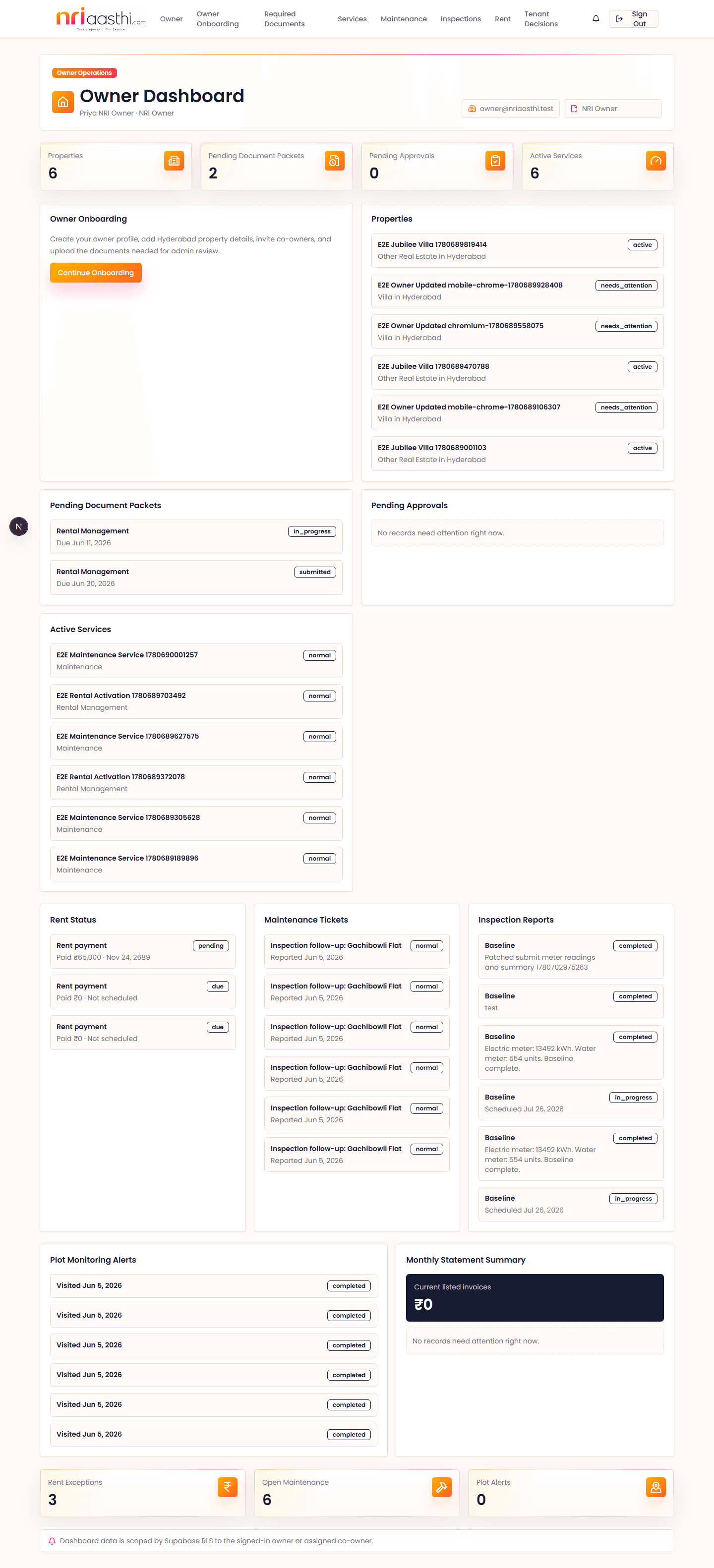
Owner / Co-owner dashboard screenshot

Owner / Co-owner

  1. 1Review pending documents, approvals, rent, maintenance, and inspection queues.
  2. 2Check portal notifications before relying on email alerts.
  3. 3Upload required documents and respond to admin comments.
  4. 4Approve service, maintenance, inspection, and plot monitoring decisions with notes.
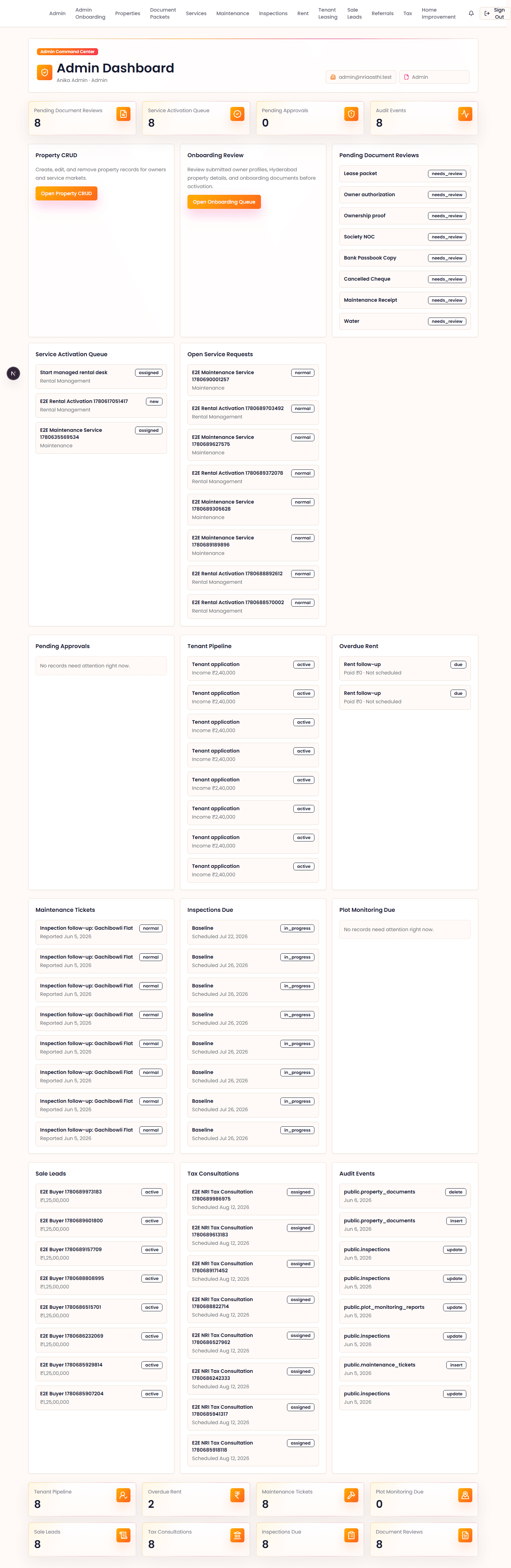
Admin / Super Admin dashboard screenshot

Admin / Super Admin

  1. 1Create properties, document packets, service requests, and owner approvals.
  2. 2Use workflow notifications and delivery audit before manual follow-up.
  3. 3Assign managers or vendors and verify evidence before closing work.
  4. 4Use native triage for urgent exceptions and vendor profile fallback.
  5. 5Publish public-safe residential or commercial marketplace listings from web.
  6. 6Verify rent proof and update owner statements.
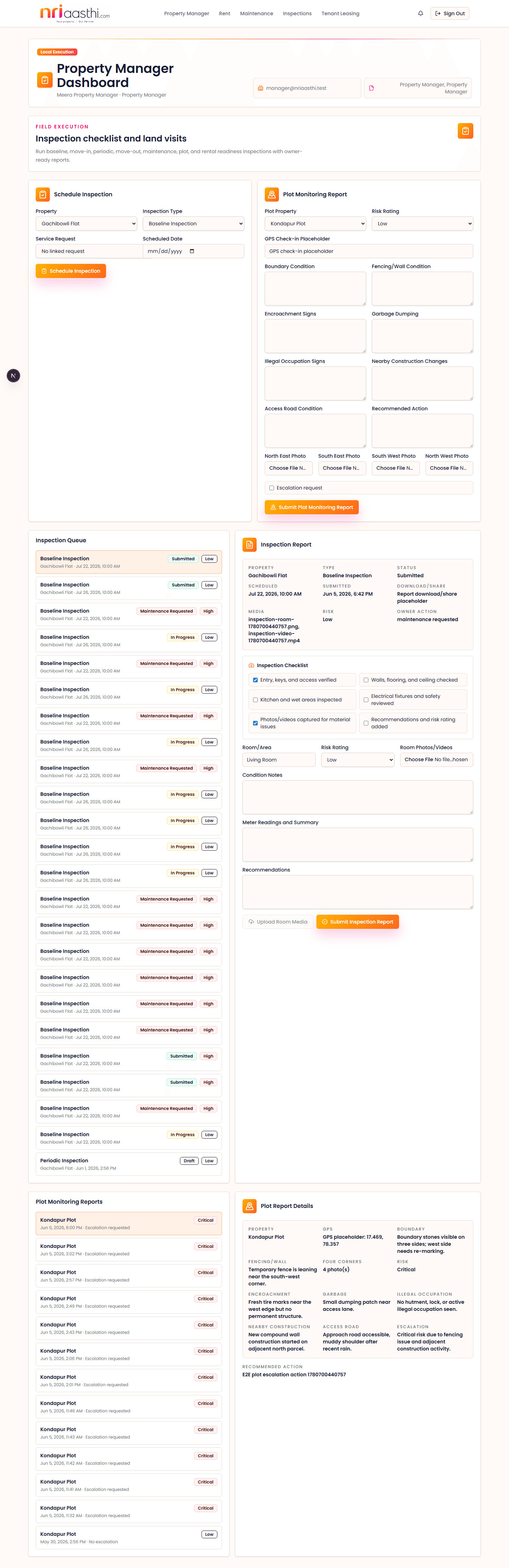
Property Manager dashboard screenshot

Property Manager

  1. 1Submit room-level inspection reports with checklist, readings, findings, and media.
  2. 2Capture plot monitoring conditions, four-corner photos, and escalation reasons.
  3. 3Coordinate local follow-up for maintenance, rent, and leasing tasks.
  4. 4Escalate high-risk reports after confirming owner notification is triggered.
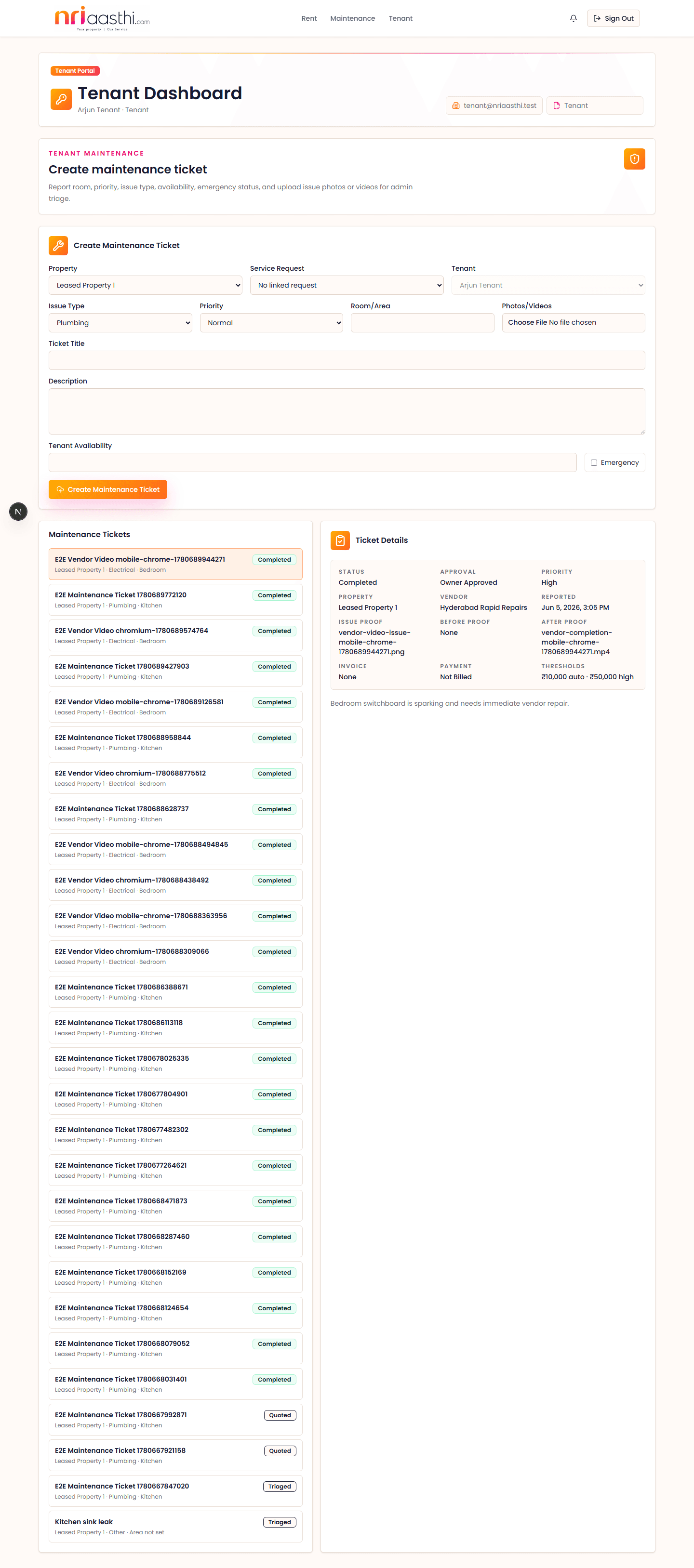
Tenant dashboard screenshot

Tenant

  1. 1Upload direct rent payment proof with file, amount, date, and reference.
  2. 2Create native maintenance tickets with room, priority, availability, emergency flag, and optional issue proof.
  3. 3Avoid duplicate requests unless Admin asks for a new ticket.
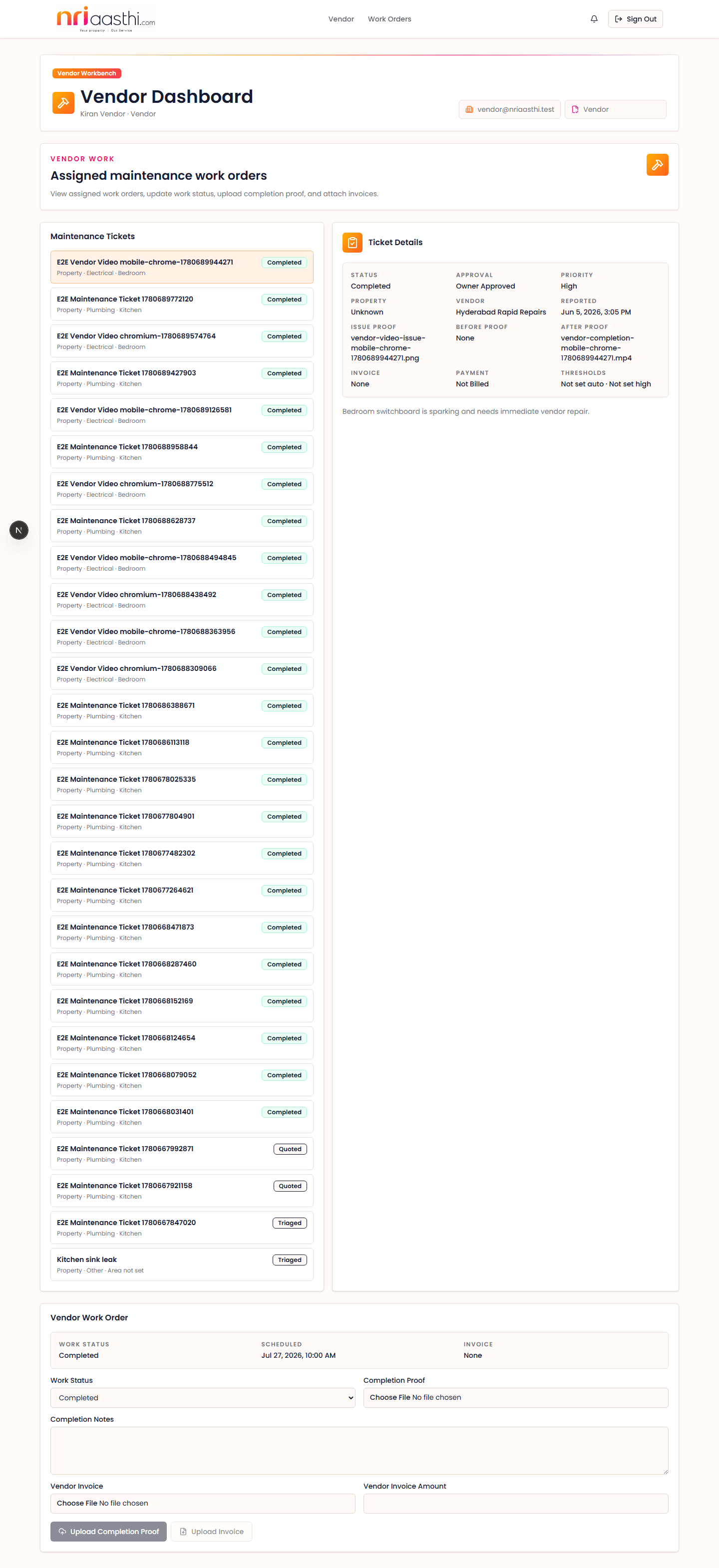
Vendor dashboard screenshot

Vendor

  1. 1Review assigned work orders and approved scope before starting.
  2. 2Upload before-work proof, after-work proof, and completion notes.
  3. 3Attach invoice details for Admin and Owner review.
Step-by-step SOP

Web and mobile activities by user type.

Use these steps for onboarding, training, QA, and coverage tracking. Where a native action has a web-first boundary, the SOP calls that out explicitly and keeps web as the operating source of truth for deeper review.

Owner / Co-owner

Use nriaasthi to onboard properties, approve work, review evidence, and track rent, services, maintenance, inspections, documents, and messages.

End to end

Web SOP

  1. 1Sign in from the web portal and confirm the owner dashboard shows the correct property count, pending approvals, active services, and notifications.
  2. 2Open onboarding or properties, complete missing property details, and upload ownership, identity, utility, tax, and society documents requested by Admin.
  3. 3Review document packet comments. Re-upload rejected or incomplete documents with clear file names and notes.
  4. 4Open services, maintenance, inspections, tenant leasing, rent, or document packets based on the notification or dashboard queue.
  5. 5Review estimates, inspection recommendations, rent statements, tenant applications, and vendor completion proof before approving or rejecting.
  6. 6Record decisions with notes so Admin, Property Manager, Vendor, Tenant, and Legal/CA partners have an auditable owner response.
  7. 7Use messages and notifications to track follow-up instead of relying only on phone or email conversation history.

Mobile SOP

  1. 1Sign in to the native app and confirm the owner-style tabs for properties, services, documents, messages, notifications, and support.
  2. 2Use properties to check high-level property status and service context while away from a desktop.
  3. 3Use documents and notifications to review requested actions and respond to simple owner follow-ups.
  4. 4Use messages or support for quick coordination when Admin or Manager needs an owner response.
  5. 5Use Legal/CA handling where available for lightweight status review.
  6. 6Return to web for full onboarding, complex document correction, detailed approvals, rent review, or any action not exposed in native mobile.

Handoff checks

Every owner approval must include a decision, note, timestamp, and related record.
Any rejected estimate, document, or recommendation must include the correction expected.
Owner-visible status should change only after Admin verifies the underlying evidence.

Admin / Super Admin

Operate the web control center for owners, properties, vendors, documents, services, rent, maintenance, inspections, notifications, and cross-role audit.

End to end

Web SOP

  1. 1Sign in and verify the admin dashboard queues for inquiries, onboarding, documents, maintenance, inspections, services, rent, vendors, and operations.
  2. 2Create or review owner records, property records, co-owner details, role access, and onboarding status.
  3. 3Assign required document packets and review owner uploads. Approve, reject, or request re-upload with specific notes.
  4. 4Create service requests, tenant leasing workflows, rent schedules, inspection tasks, maintenance tickets, vendor work orders, and owner approval requests.
  5. 5Create marketplace listings as standalone public records, choosing Residential or Commercial, Rent/Lease/Sale, stilt/cellar building configuration when relevant, and required public-safe details before publishing.
  6. 6Assign Property Managers and Vendors based on property, location, trade or specialty, verification status, and availability.
  7. 7Review submitted inspection reports, maintenance proof, vendor invoices, rent proof, tenant applications, and Legal/CA findings.
  8. 8Close records only after evidence, owner decision, payment or invoice details, and notifications are complete.

Mobile SOP

  1. 1Open the native Work tab and review the Admin triage queue grouped by documents, onboarding, rent, maintenance, inspections, vendors, and operations.
  2. 2Acknowledge safe exceptions, add admin notes, request web review, or update allowed verification/status fields when the card supports native action.
  3. 3Use the native vendor fallback form for core vendor profile details such as company, contact, phone numbers, service categories, trade specialties, status, verification, and notes.
  4. 4Return to web for official document adjudication, financial verification, legal/tax decisions, destructive changes, detailed assignment, and final workflow closure.
  5. 5If a native update or refresh fails, keep the triage context open, retry after connectivity is stable, and complete the review on web if the exception is audit-sensitive.

Handoff checks

Admin is responsible for keeping the workflow status accurate across all roles.
Do not close field work without media, notes, invoice details when applicable, and owner-visible summary.
High-risk legal, tax, dispute, ownership, or payment issues must be escalated before closure.

Property Manager

Coordinate local property execution, inspections, plot monitoring, maintenance follow-up, and field evidence for remote owners.

End to end

Web SOP

  1. 1Sign in to the property manager dashboard and review assigned properties, inspections, maintenance, rent or tenant-leasing follow-ups, and due dates.
  2. 2Open the assigned property before starting any field activity and confirm access contact, visit scope, checklist, and known owner concerns.
  3. 3Create or update inspection records with checklist status, room condition notes, meter readings, findings, risk rating, recommendations, and media.
  4. 4For plot monitoring, capture access condition, boundary visibility, four-corner photo coverage, encroachment signals, and escalation notes.
  5. 5For maintenance follow-up, update ticket status, coordinate access, record vendor observations, and escalate estimate or completion concerns to Admin.
  6. 6Submit the report only after the evidence is clear enough for an owner abroad to make a decision.
  7. 7Check notifications after submission to confirm owner or admin follow-up is triggered.

Mobile SOP

  1. 1Open the native Work tab and choose the assigned inspection from the manager queue.
  2. 2Start or continue the report, then complete checklist items, room condition notes, findings, meter readings, summary, recommendations, and risk rating.
  3. 3Attach at least one proof file from the device before final submission.
  4. 4Submit only when the form has summary, recommendations, valid risk, room or finding notes, and uploaded media.
  5. 5For plot monitoring, choose the property, add GPS or location notes, boundary/fencing/access condition, encroachment and dumping findings, risk, recommendation, escalation notes when needed, and four-corner proof media.
  6. 6Submit the plot report from native and confirm the owner notification appears in web/mobile notification queues.
  7. 7Use web for advanced maintenance updates and broader manager operations unless a native route explicitly supports the action.
  8. 8If upload or submit fails, keep the form open, retry the failed step, and use web only when the visit needs immediate audit closure.

Handoff checks

A field report is incomplete without media, condition notes, and a recommendation.
If a safety, access, encroachment, water leak, electrical, or tenant conflict issue is observed, escalate to Admin immediately.
Owner-facing recommendations must be specific enough to become an approval request or maintenance ticket.

Tenant

Use the portal to submit rent proof, create maintenance requests, respond to lease or property communication, and keep owner-facing records clean.

End to end

Web SOP

  1. 1Sign in to the tenant dashboard and confirm the linked property, lease context, rent status, maintenance tickets, and notifications.
  2. 2Open rent and upload payment proof with amount, payment date, reference number, receipt image, and any payment notes.
  3. 3Check whether rent proof is pending, verified, rejected, or needs correction. Re-upload only when Admin requests a correction.
  4. 4Open maintenance to create a ticket with room or area, issue description, priority, availability window, photos, and videos if needed.
  5. 5Respond to Admin or Property Manager questions in the ticket instead of creating duplicate requests.
  6. 6Review status changes until vendor assignment, work completion, and closure are visible.
  7. 7Use messages and notifications for lease, rent, maintenance, and access coordination.

Mobile SOP

  1. 1Open the native Work tab and choose the rent payment row linked to the current lease.
  2. 2Select a PDF, JPG, PNG, or WebP receipt from the device, then enter the paid amount, paid date, and optional payment reference.
  3. 3Upload proof only after amount and file are present. The payment becomes pending for Admin verification.
  4. 4For maintenance, choose the linked lease/property, enter title, issue type, room or area, description, priority, availability, emergency flag, and optional issue proof.
  5. 5Submit the native request only after the title, description, and issue type are clear enough for Admin or Property Manager triage.
  6. 6If upload or record update fails, leave the selected file and entered details in place, retry the upload, and contact Admin if the proof or request must be reviewed urgently.
  7. 7Use web for maintenance follow-up, quote decisions, rejected proof correction workflows, and any lease context not shown in native mobile.

Handoff checks

Rent proof must match lease amount, date, and payment reference before Admin verification.
Maintenance tickets must include enough photos and access availability to avoid back-and-forth.
Duplicate tickets should be avoided unless Admin explicitly asks for a new request.

Vendor

Receive assigned work, confirm scope, perform the service, upload proof, submit invoice details, and wait for Admin or Owner closure.

End to end

Web SOP

  1. 1Sign in to the vendor dashboard and review assigned work orders, property, service type, priority, approved scope, and contact or access instructions.
  2. 2Confirm whether the job is accepted, scheduled, in progress, blocked, completed, or needs admin clarification.
  3. 3Before starting work, review owner-approved estimate, scope boundaries, material assumptions, and any society or access constraints.
  4. 4After work, upload before and after photos or videos, completion notes, material notes, warranty details if applicable, and invoice details.
  5. 5If scope changes, pause and request Admin approval before doing additional work.
  6. 6Track closure status until Admin verifies evidence and owner-facing summary is complete.

Mobile SOP

  1. 1Open the native Work tab and choose the assigned work order.
  2. 2Upload before-work proof from the job site when useful for baseline evidence.
  3. 3Enter completion notes, select at least one after-work proof file, and submit after proof to mark the work order completed.
  4. 4Optionally attach an invoice file with amount; native records the invoice for Admin and Owner review.
  5. 5If upload or update fails, keep the form open, retry the failed proof or invoice step, and avoid clearing notes until the work order refreshes.
  6. 6Use web for payment approval, dispute handling, scope changes, and final operational closure.

Handoff checks

No work should exceed approved scope without Admin approval.
Completion proof must be clear enough for Admin and Owner review without another site visit.
Invoice details should match approved estimate or explain the variance.

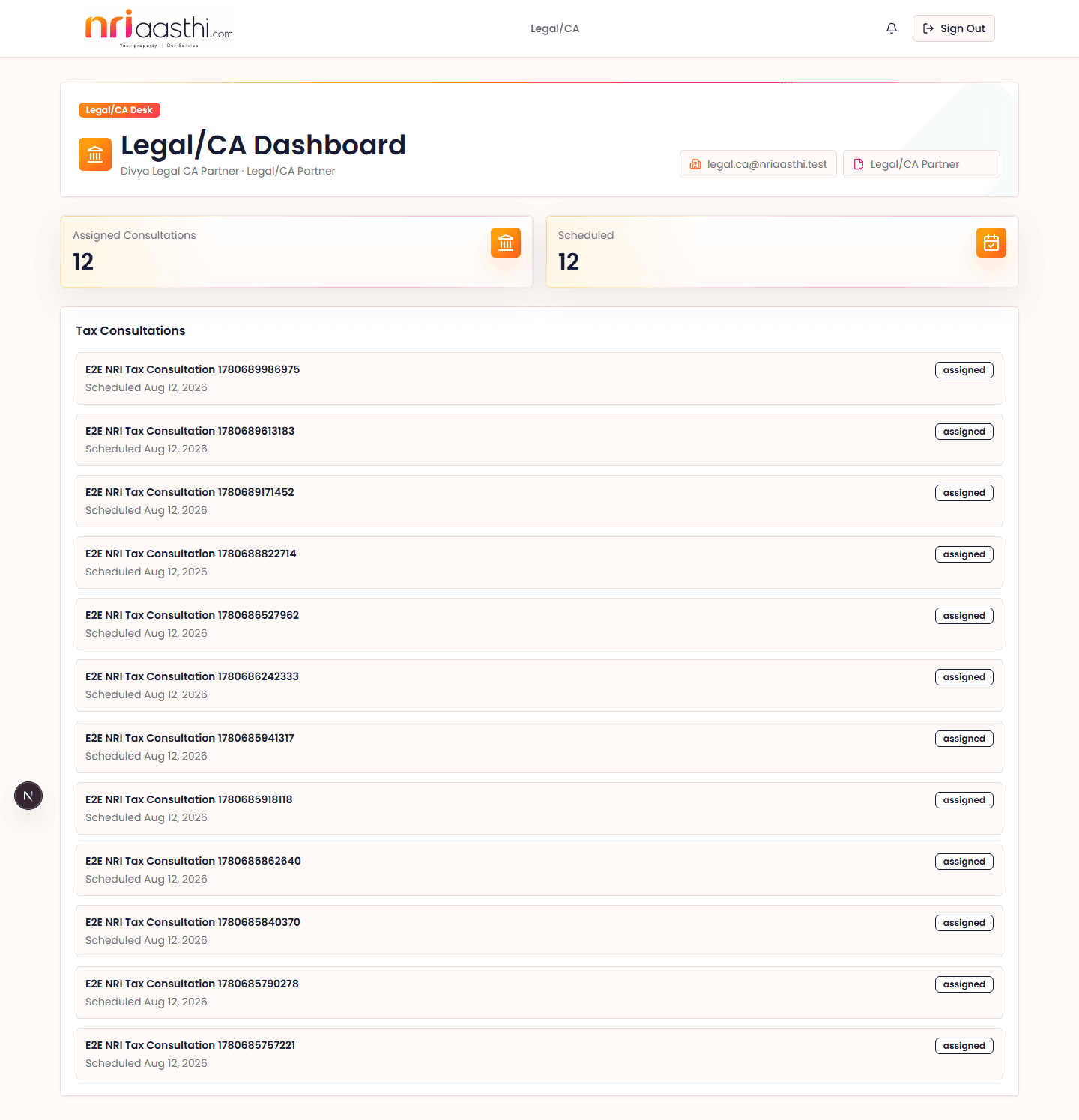
Legal/CA Partner

Review assigned legal, tax, compliance, document, rent, sale, or ownership concerns and provide specialist findings for Admin and Owner decisions.

End to end

Web SOP

  1. 1Sign in to the Legal/CA dashboard and review assigned cases, property context, owner request, documents, due date, and Admin notes.
  2. 2Open the relevant document packet or case record before reviewing title, tax, rent, sale, TDS, ownership, POA, compliance, or dispute details.
  3. 3Record findings in plain language with required next steps, missing documents, risk level, and whether owner consent is required.
  4. 4Flag matters that need external filing, statutory payment, legal notice, professional consultation, or owner signature.
  5. 5Return the case to Admin with a clear status: reviewed, needs information, owner action required, escalated, or complete.
  6. 6Avoid closing specialist review until the owner-visible recommendation is understandable and tied to documents.

Mobile SOP

  1. 1Native mobile has partial Legal/CA handling for lightweight review and status visibility.
  2. 2Use web for detailed document review, formal findings, case notes, and compliance-sensitive workflow decisions.
  3. 3Use mobile only for quick status checks, simple follow-up, or urgent message review where available.
  4. 4Future native hardening should define case list, document preview, quick clarification request, and push notification boundaries for urgent owner consent.

Handoff checks

Specialist findings must separate facts, risks, missing documents, and recommended action.
Anything involving legal advice, tax filing, statutory deadlines, dispute, sale, or ownership risk must be escalated clearly.
Admin should be able to convert the finding into an owner decision request without rewriting the substance.
Cross-role SOPs

Follow the same accountability chain.

The application is evidence-first: capture the request, collect documents, record approval, execute locally, attach proof, send portal-linked notifications, and leave an audit trail.

Document Packet Readiness

Admin assigns required documents, Owner uploads and responds, Admin reviews and activates the next service step.

Service Approval

Admin sends approval details, Owner records a decision, and approved work moves to execution.

Maintenance to Closure

Tenant or Admin creates a ticket, Admin assigns vendor, Owner approves quote when needed, Vendor uploads completion proof and invoice.

Inspection and Plot Monitoring

Property Manager captures checklist, media, risk, and recommendations so Owner can approve action or request maintenance.

Rent Verification

Admin creates schedules, Tenant uploads proof, Admin verifies payment, and Owner reviews the monthly statement.

Notifications and Delivery Audit

Workflow notices route through in-app notifications and Brevo email, with sent, failed, or skipped attempts recorded for Admin triage.

Marketplace Publishing

Admin publishes standalone residential and commercial rent, lease, or sale listings with public-safe photos, Indian buyer/renter preferences, stilt/cellar building configuration, commercial space details, nearby conveniences, and inquiry capture.

Secure Role Access

Each user lands on a role-scoped dashboard and sees only the navigation relevant to their responsibilities.

Demo and training note

Use production accounts for live work.

The full internal repository wiki includes seeded demo users for local development and QA. Public users should sign in with their assigned account and follow the role-specific screens shown above.

Confirm your role after sign-in.
Open the relevant record before changing status.
Attach proof before approval or closure.
Use portal notifications for workflow communication.
Escalate unclear legal, tax, or high-risk property issues.

Remote Owner, Local Clarity

Start with a free consultation, then choose the exact property workflow you need.